We built an RGB app. It’s called MyRGB, it’s free, it runs on Windows, and the 0.2.0 beta is up now at rootlabs.us/apps/myrgb.
It exists because four programs were running on one machine to light up six devices, and none of them would talk to each other.
The actual problem
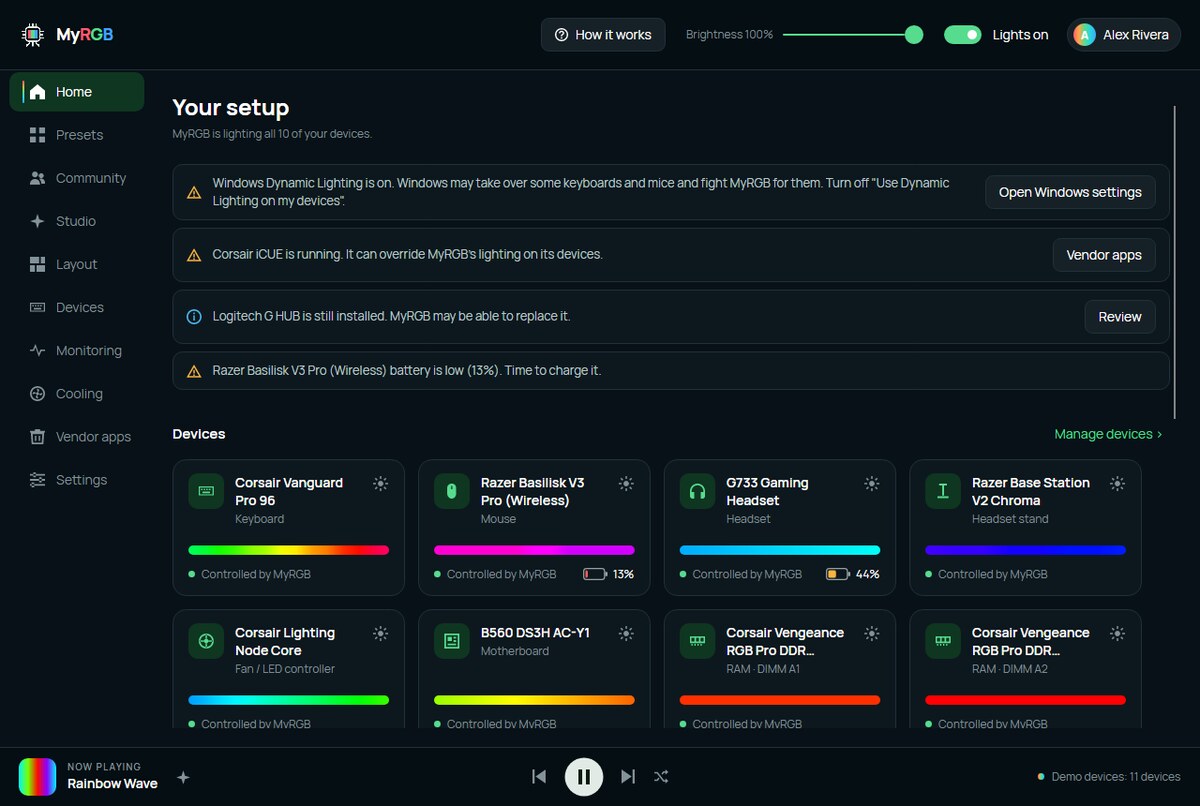
If you’ve got a Corsair keyboard, a Logitech mouse, a Razer headset and an Asus motherboard, you’re running iCUE, G HUB, Synapse and Armoury Crate. All four launch at startup. All four want exclusive control of their devices. Several of them ship a background service you didn’t ask for.
And they still don’t produce one coherent look, because none of them knows the others exist. Your keyboard does a rainbow wave, your mouse does a different rainbow wave, and they’re never in phase.
MyRGB treats the whole desk as one canvas. You tell it roughly where each device sits, and an effect rolls across all of them in order. The wave leaves the keyboard, crosses the mouse, and arrives at the headset stand.
What’s in it
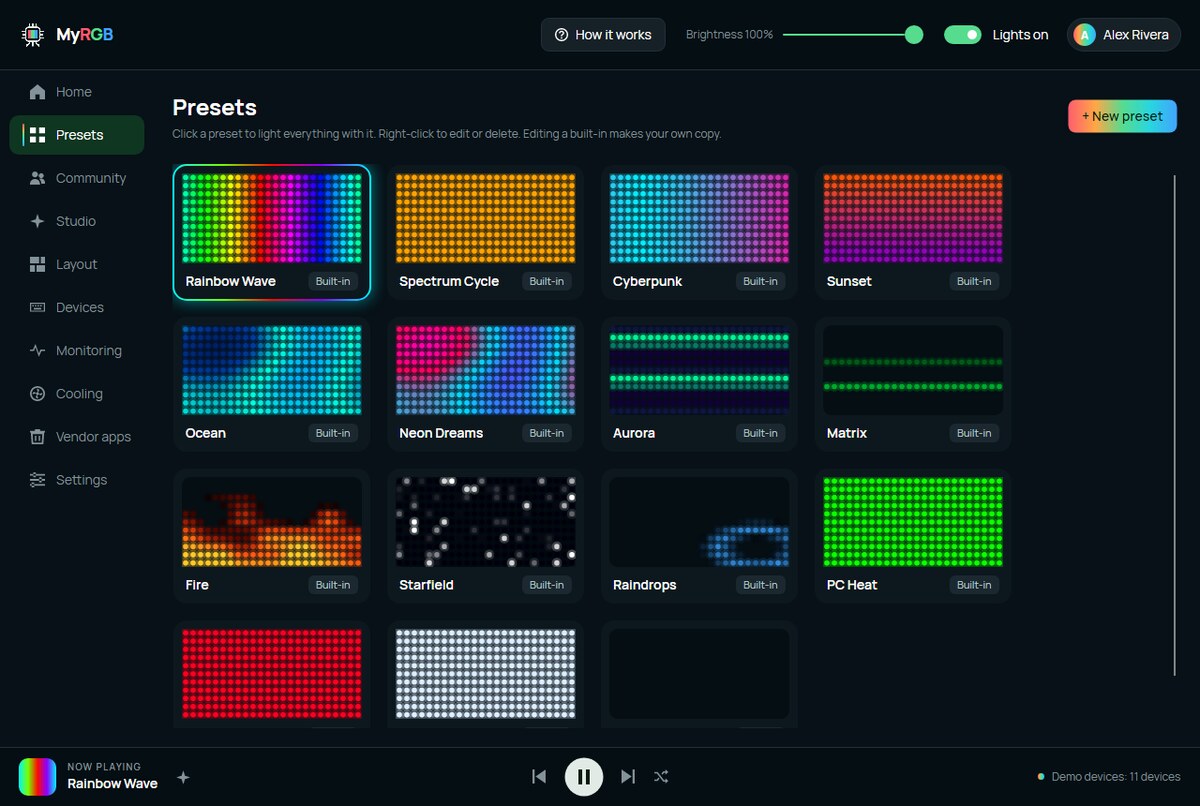
Around 1,900 devices are supported, through MyRGB’s own drivers plus bundled OpenRGB. Fourteen built-in presets and a Studio for editing effects while they run. Music effects including a proper audio visualizer. Monitoring for CPU, GPU, memory, network and drives.
Fan control too, for GPU and motherboard fans, with limits that aren’t negotiable: nothing below 30%, full speed at 85 °C, and everything handed back to automatic when the app closes. Fan curves are a good way to cook a graphics card if the software is careless about it, so that part is deliberately boring.
There’s a Stream Deck plugin, a tray icon that keeps your lights running with the window closed, and a local API on port 6743 if you want to drive it from a script.
What it doesn’t do yet
It’s a beta and we’d rather say that loudly than have you find out.
The installer isn’t code-signed. Windows will tell you it’s from an unknown publisher and ask if you’re sure. That warning is correct. We publish the SHA-256 on the download page so you can check the file is the one we built, which is the best we can offer until a signing certificate happens.
Vendor apps will fight it. Close iCUE, Synapse, G HUB and Armoury Crate before you start MyRGB. They hold devices open and neither side wins.
Some devices will be missing or wrong. 1,900 devices is a lot of hardware we don’t physically own. If yours doesn’t light, or lights the wrong colour, that’s the single most useful thing you can tell us. Device model and what you saw, on The Bench. Logs are under Settings then Advanced.
CPU temperature and fan control need admin. There’s a button to restart elevated rather than running the whole app as administrator permanently.
Accounts, since it’s us
MyRGB works entirely without an account and sends us nothing in that mode. Presets, layout and fan curves sit in your Windows user folder. Sensor readings never leave the machine.
An account is optional and does two things: sync your presets between your own PCs, and share presets with other people. That’s the whole feature. The privacy policy spells out exactly what’s stored if you do sign in.
We’ve spent a lot of this blog arguing that you should own your own stuff, so shipping an app that phoned home to work would have been an awkward look.
Go break it
Download it, run it, tell us what went wrong. A beta with no bug reports is just software nobody installed.
Update: 0.2.1
0.2.1 fixes Sign in being missing in 0.2.0. If you grabbed 0.2.0 and went looking for the sign-in button without finding it, it wasn’t you. Install 0.2.1 over the top, the download page has it.
Accounts are still optional and MyRGB still works fully without one. The fix just means the option is actually there now.